
made with
The Best Five Digital Planners of 2022
April 18, 2022
By Siobhan Stewart
The best digital planners in 2022
Wondering “What are the best planner apps?” or curious about the best digital planners in 2022? Looking for the best digital journal app for the ipad or iphone?
Digital planning is an efficient way to stay organized, plan your days, and track habits. Also? It’s fun. There’s nothing quite like the experience of sliding virtual images around on an iPad screen or using an Apple pencil to drag, resize, or rotate elements.
There are a TON of digital planner options out there, and they all have different strengths and weaknesses. You likely don’t have time – or money – to test out all the options in order to pick the best digital planning app. We know it can be stressful hunting for a new planner, and we’re here to relieve some of that stress by examining and explaining what your digital planning options are.
We’re sharing the features, compatibility, pros, and cons of each of the following planning apps: Zinnia, Etsy planners, Any.Do, Goodnotes, and ZoomNotes. The Zinnia Journal and Planner came out on top due to its creative capabilities (no other app has an equivalent to its Studio of digital design content), its user-friendly tools, and its range of features (PDF imports, image locking, grouping, and more.)
We hope you find this list of planning apps helpful. Digital planning is an effective and creative way to tackle your scheduling needs – it’s also so much more. Explore your options and find the one that makes the most sense for your lifestyle and needs.
The best digital planning app: Zinnia Planner
Zinnia Journal & Planner
Zinnia is a digital planner, journal, and general creative platform. It can be used to plan your week & month, design something beautiful & personal – or both.
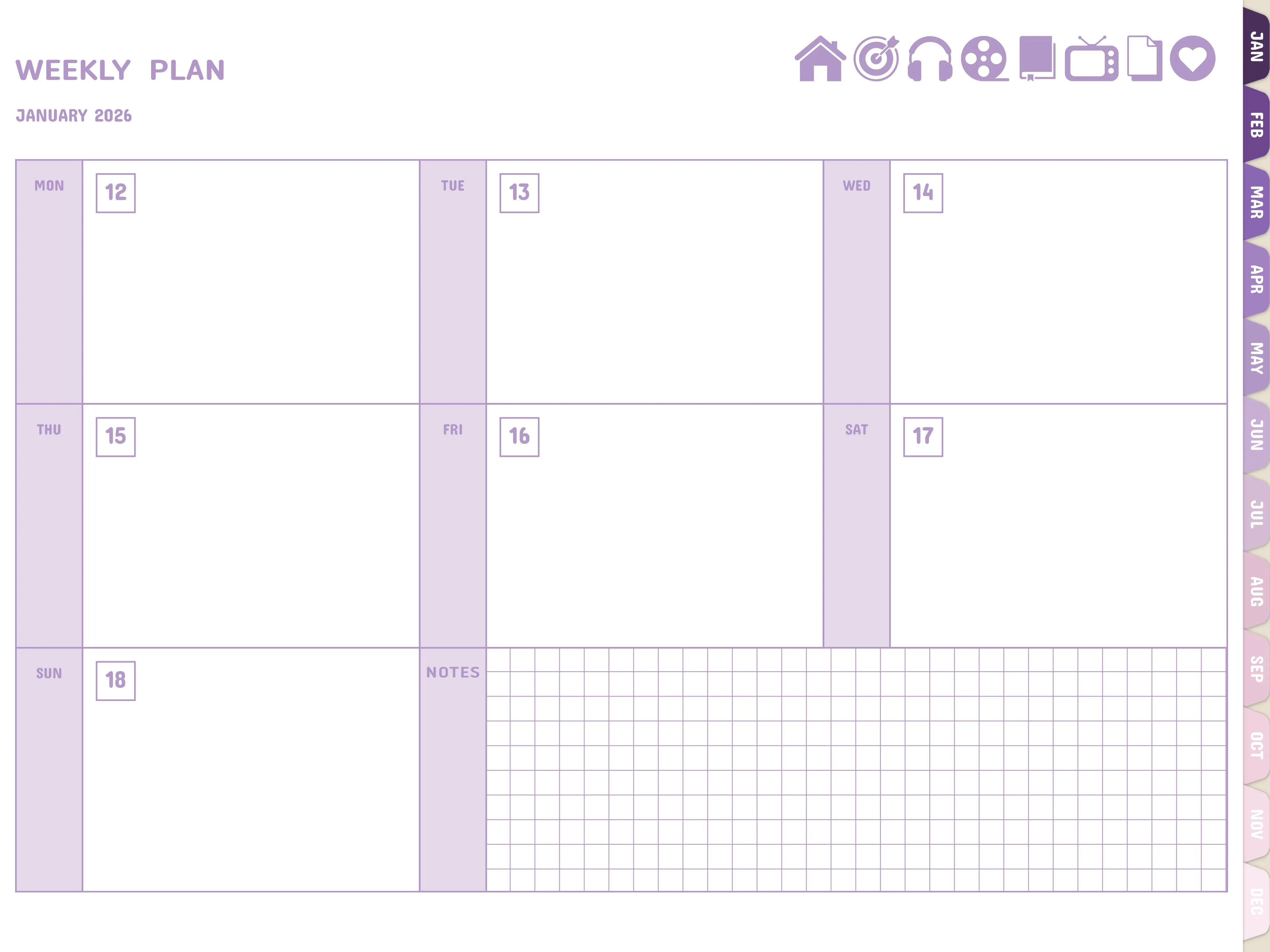
Zinnia allows you to plan with pre-made templates (eg. calendar, to-dos & trackers), and decorate with a full library of digital designs (eg. stickers & washi tape). It also has an impressive artist toolkit for handwriting, doodling, and adding other personal touches.
- Ideal for: Creativity & Planning! Zinnia has an internal library of digital artwork: templates, stickers, frames, washi & more. It’s built-in artist toolkit opens up unlimited creative possibilities.
- Features: Easy Organization. Impressive artist toolkit of brushes. Studio: curated digital designs. Full journals. Import/Export PDFs (PDF markup). Hyperlinks, undo, eraser, lock, resize, and more.
- Pricing: Free demo version. $3.33/month paid annually.
- Compatible: iPad, Apple pencil (and other styluses).
- Pros: Can be used beyond planning: scrapbooking, sketching, creating designs, storyboarding, and more. New content frequently added. New features frequently added.
- Cons: Not compatible with Android devices.
See why we think Zinnia is the best digital journaling app.
Etsy Digital Planners
Etsy has a bunch of digital planners that you can purchase and download to use in a digital planning app/platform like Zinnia or Goodnotes. There are a ton of carefully designed journals & stickers, and they tend to be easy to download and use.
- Ideal for: A one-time purchase of a specific spread/planner/tracker that you love. Supporting independent artists.
- Features: Wide variety of artwork and designs.
- Pricing: Varies. Many planners are around $5.00
- Compatible: Imported pdf planners and designs can be used with Zinnia, Goodnotes, Notability
- Pros: Huge variety of art and pricing options
- Cons: Lots of one time purchases can get expensive. You need a platform/app in order to edit your purchased journals.
Any.do Digital Planner
Any.do uses lists, reminders, and a calendar to keep you on top of your schedule. It allows you to sort tasks into groups (eg. chores, groceries), set reminders for getting them done. It’s an efficient way to organize your personal and/or work tasks.
- Ideal for: Staying organized at work. Productivity.
- Features: Quickly add your to-do, fill out agenda, create lists, populate calendar.
- Pricing: Standard: Free digital & online planner. Premium: $9.99/month, $59.99/year
- Compatible: Android, iPhone, iPad, Apple Watc
- Pros: Syncs with Siri and Alexa.
Asana Digital Planner
Asana is a management app for work teams. It uses lists to give team members an easy way to track, organize and manage tools.
- Ideal for: Staying organized at work. Creating and tracking team projects.
- Features: Assign projects with dated tasks to team members and track the progress of each one.
- Pricing: Basic: free Business: 131.88/year per user, 24.99/month per user
- Compatible: Android, iOs, tablets, phones, computers
- Pros: Straightforward, easy organization, logical, clear.
Goodnotes Note Taking
- Ideal for: Planning and notetaking.
- Features: folders, flashcards, note sharing
- Pricing: $7.99
- Compatible: iPhone, iPad, Mac, iPad Touch
- Pros: searchable notes, hyperlinks to external links, folders organization
- Not ideal for: Creative planning with an all-in-one toolkit. Digital stickers must be purchased and brought in separately.
ZoomNotes
- Ideal for: Taking and organizing notes.
- Features: Hyperlinks, Page networks, folder organization
- Pricing: $7.99 one time fee
- Compatible: iPad, iPhone, iMac
- Pros: Good tools for digital note taking and planning. Supports videos and audio, and has lots of options for editing, including page layers and cropping.
Pick a Digital Planner Based on Your Needs
The Zinnia planning app is a versatile and creative way to plan your days, weeks, months, and years. However, all of these planning apps have capabilities to help you organize your life.
When it comes to choosing a digital planner, your main consideration should be your needs: Will its features work for you schedule? Are its tools easy to manage? Is it engaging enough to help you create a long term habit? Does it have specific features designed for your specific needs? Does it make sense for your budget? There are a ton of high quality digital planning options, and they all target different needs.
If you aren’t sure which app will work best for your needs, most of them, like Zinnia, have a free or trial version for you to test out. In the end, you’ll need to choose a planning app that helps destress your life, structure your days, and keep up with appointments and tasks.
Happy Planning!